
Did you like the tool?
Did we solve your problem?
Rate the tool
Why an Area Calculator Is Useful in Everyday and Professional Work
An Area Calculator is one of the most practical math tools for daily use because surface measurements affect planning, budgeting, purchasing, design, and verification. People often need to know how much floor they are covering, how much paint they need, how much land is inside a boundary, or how large a panel, plate, slab, or workspace really is. In each of these cases, the Area Calculator saves time and reduces the risk of mistakes that can happen when formulas, unit conversions, or shape assumptions are handled manually.
This matters at home, in offices, in workshops, and on industrial sites. A homeowner may use an Area Calculator before ordering tiles, carpet, wallpaper, artificial grass, or ceiling boards. A contractor may use it to estimate coating quantities or layout requirements. A student may use it to verify geometry answers. An engineer or technician may use it when checking plates, sections, covers, enclosures, screens, and floor occupancy zones. In all these scenarios, accurate area values support better decisions and prevent costly overestimation or underestimation.
📌 Why this matters: Even a small measurement error can lead to extra material purchases, delayed work, or incorrect layout planning. A reliable Area Calculator helps users move from guesswork to measurable results.
What the Area Calculator Does
This Area Calculator is designed to quickly compute the surface area of common two-dimensional shapes by using the dimensions you enter. Instead of memorizing multiple formulas for rectangles, circles, triangles, trapezoids, ellipses, sectors, and other shapes, users can simply choose the shape, enter the required measurements, and get the result instantly. That makes the tool efficient for both quick checks and repeated scenario testing.
A good Area Calculator also helps with unit handling. Many users work in square meters for construction, square feet for property and flooring, square centimeters for product design, or square inches for manufacturing details. When the tool processes dimensions consistently and shows results in squared units, it becomes easier to understand the scale of the surface being measured and to compare one option with another.
Shape-Based Calculation
Calculates area using the correct formula for the selected 2D shape.
Quick Recalculation
Lets users test different dimensions fast without repeating manual math.
Unit Clarity
Shows results in square units so interpretation is immediate and practical.
How the Area Calculator Works
The Area Calculator works by matching the selected shape to the correct mathematical model. After you select a shape, the tool asks only for the dimensions needed for that geometry. For a rectangle, that may be length and width. For a circle, radius is enough. For a triangle, it may use base and height. Once values are entered, the Area Calculator applies the formula and displays the final surface area in the correct square unit format.
The process seems simple, but it solves several hidden problems at once. It prevents users from mixing formulas, forgetting to divide by two where needed, or applying linear units directly without squaring them conceptually. It also encourages consistent measuring. When users compare multiple room sizes, equipment covers, plots, or components, the Area Calculator becomes a fast checking system rather than just a one-time formula helper.
Simple Flow
Area Calculator Formulas and Calculation Logic
The value of an Area Calculator depends on sound geometry. Surface area formulas for basic plane figures are globally recognized and taught in mathematics, construction estimation, drafting, and engineering fundamentals. The tool applies those formulas directly, which makes it useful for education and practical field work alike.
| Shape | Formula | Inputs Typically Needed | Typical Use |
|---|---|---|---|
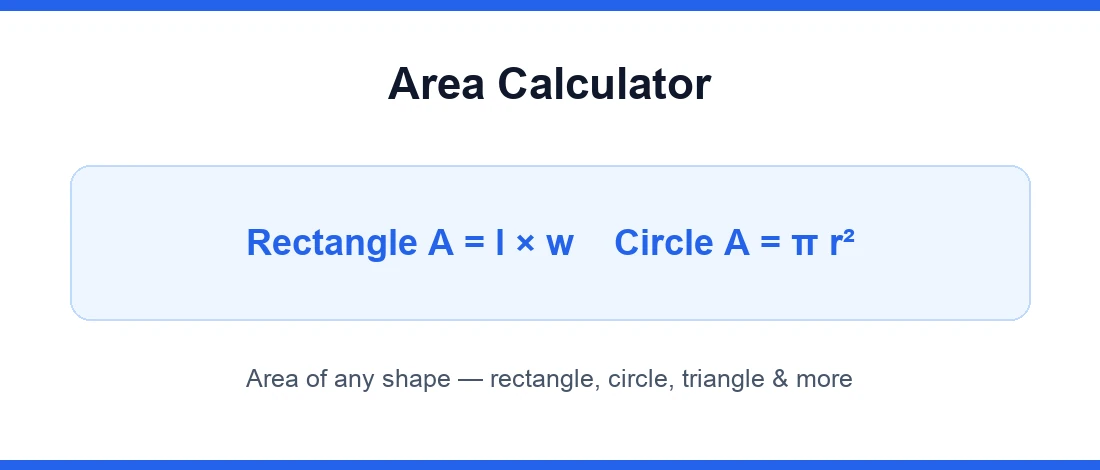
| Rectangle | A = l × w | Length, width | Rooms, sheets, plots |
| Square | A = s² | Side length | Tiles, panels |
| Triangle | A = ½ × b × h | Base, height | Gables, supports, layouts |
| Circle | A = πr² | Radius | Round covers, discs |
| Trapezoid | A = ½(a + b)h | Parallel sides, height | Irregular layouts |
| Ellipse | A = πab | Major and minor radii | Openings, decorative plans |
Many educational and technical practices around area are consistent with internationally recognized mathematical conventions and measurement frameworks. For broader measurement guidance and SI unit background, users can refer to the International System of Units published by the BIPM. While area formulas are classical geometry, presenting results in standard measurement units supports consistency across education, estimation, and engineering documentation.
How to Interpret Area Calculator Results Correctly
When the Area Calculator gives a result, the number represents surface coverage, not boundary length. This distinction is important. A room that has an area of 20 square meters is not the same as a room with a perimeter of 20 meters. Users should read the output carefully and check the unit. Square feet, square meters, and square centimeters are not interchangeable, and confusion between them can distort material estimates immediately.
Results should also be interpreted in context. If you are calculating flooring, you may need to add a waste factor. If you are calculating paint coverage, you may need to subtract doors, windows, or open sections. If you are measuring a machine plate, you may need to consider cutouts. The Area Calculator gives the geometric base value; decision-making often comes from applying that number intelligently to the job at hand.
⚠ Interpretation tip: Always pair the result from the Area Calculator with project allowances such as wastage, overlap, trimming, access clearance, or excluded openings.
Practical Examples and Real-Life Uses of an Area Calculator
A strong reason people keep returning to an Area Calculator is that it solves real planning problems. Suppose a room is 5 m long and 4 m wide. The area is 20 m², which helps estimate flooring, underlay, heating coverage, or tile quantity. Suppose a circular plate has a radius of 0.5 m. The Area Calculator gives an area of about 0.785 m², useful for coating, cutting, or material comparison. For a triangular section under a staircase, the tool helps convert an awkward shape into a quick measurable value for finish work or storage planning.
| Scenario | Shape | Sample Dimensions | Result Use |
|---|---|---|---|
| Floor tile estimate | Rectangle | 5 m × 4 m | Order tiles for 20 m² plus waste allowance |
| Round metal cover | Circle | r = 0.5 m | Coating or material usage check |
| Feature wall paint zone | Rectangle | 3 m × 2.8 m | Estimate paint quantity |
| Roof side panel | Triangle | b = 6 m, h = 2 m | Cladding or finish estimation |
These examples show that an Area Calculator is not limited to academic math. It directly supports quantity estimation, purchasing, fabrication review, layout planning, and property evaluation.
Common Mistakes to Avoid When Using an Area Calculator
Even with a fast tool, users can still make input mistakes. One common issue is entering dimensions in mixed units, such as length in meters and width in centimeters without converting first. Another is using diameter where the formula requires radius. Some users also measure sloped lengths and assume they are the correct vertical or perpendicular dimensions for area formulas. An Area Calculator can process correct data quickly, but it cannot correct an incorrect measurement method automatically.
❌ Frequent Input Errors
Mixing units, confusing radius and diameter, using the wrong shape, or forgetting that results are in square units.
✅ Better Practice
Measure carefully, verify the geometry, keep units consistent, and test a second scenario in the Area Calculator to confirm reasonableness.
How an Area Calculator Helps Reduce Cost and Improve Efficiency
The Area Calculator helps reduce cost by improving estimate accuracy before money is spent. If you order too much flooring, metal sheet, coating, turf, or panel stock, budget is wasted. If you order too little, work stops and extra logistics costs appear. By giving fast, repeatable values, the Area Calculator supports more confident purchasing and better quantity planning.
Efficiency improves because the tool removes repeated manual calculations. This is especially valuable when users compare several rooms, machine parts, work zones, or design alternatives. Instead of opening a notebook or spreadsheet and re-entering formulas each time, they can test sizes instantly and identify the most practical option. That makes the Area Calculator useful not just as a math helper but as a decision-support tool.
Quick Comparison
| Manual calculation | Slower, formula-dependent, higher chance of arithmetic errors |
| Using an Area Calculator | Faster, consistent, easier for scenario testing and budgeting |
Home, Office, Commercial, Workshop, and Engineering Applications of an Area Calculator
An Area Calculator is relevant across many environments. At home, it helps with flooring, paintable surfaces, garden patches, furniture placement zones, and room planning. In offices, it helps with carpet area, partition planning, desk layout zones, and occupancy space analysis. In commercial settings, it supports shop floor coverage, signage backing sizes, display panel planning, and interior finishing estimates.
In workshops and engineering contexts, the Area Calculator can support checking surface sizes of plates, covers, insulation pads, linings, enclosures, and cut material sections. While higher-level engineering work may later require CAD or specialized software, a quick Area Calculator remains valuable for early-stage validation, estimation, and field checks. That is why the tool remains useful even for technically experienced users.
If you want to explore more tools in the same general category, visit our math calculators collection for related calculation support.
Why an Area Calculator Is Better Than Manual Calculation for Most Users
Manual calculation still has value for learning and verification, but the Area Calculator is better for speed, clarity, and repeated use. It removes the need to remember multiple formulas, helps reduce arithmetic mistakes, and makes it easier to compare alternatives. For example, a user can change the dimensions of a room, panel, or circular part and instantly see how the surface value changes. That immediate feedback improves planning and encourages smarter decisions.
A practical way to get more value from this Area Calculator is to test several scenarios before finalizing a purchase or design choice. Compare one tile size against another. Compare a rectangular layout to a split layout. Compare the effect of a larger radius or a shorter base. This turns the Area Calculator from a simple result generator into a useful planning companion.
💡 Final tip: Use the Area Calculator first for the base geometry, then apply job-specific allowances such as waste, overlap, or excluded openings. That approach gives results that are both mathematically correct and practically useful.