
Did you like the tool?
Did we solve your problem?
Rate the tool
🎯 Why a Probability Calculator Is Useful
A Probability Calculator helps you measure uncertainty in a fast, structured, and reliable way. Instead of estimating outcomes mentally or building formulas manually in a spreadsheet, you can enter known values and get instant results for single events, combined events, conditional cases, and distribution-based scenarios. This is useful for students, analysts, teachers, researchers, engineers, quality teams, and decision-makers who need accurate answers without wasting time.
The main value of a Probability Calculator is clarity. Many people understand the idea of chance, but they misread what the numbers actually mean. A good tool turns abstract percentages into something easier to interpret. It helps you compare options, test assumptions, and understand whether an event is rare, likely, or highly uncertain.
Quick insight: A Probability Calculator is especially useful when small input changes can lead to very different decisions, such as product testing, exam planning, forecasting, reliability studies, medical screening interpretation, and business risk review.
🧮 What the Probability Calculator Does
A Probability Calculator is designed to compute the likelihood of one outcome or several related outcomes based on the information you already know. Depending on the input mode, it may calculate the probability of an event occurring, both events occurring together, either event occurring, neither event occurring, or one event occurring given that another event has already happened.
In practical use, the Probability Calculator can also support normal distribution analysis, which is widely used in statistics, manufacturing quality control, research, and performance measurement. That means the tool is not limited to classroom examples like coin tosses or dice rolls. It can also help with defect risk, pass rates, reliability tolerance bands, and threshold-based decision-making.
Because the tool performs the underlying logic for you, the Probability Calculator reduces setup time and removes common arithmetic mistakes that often happen during manual calculation.
⚙️ How the Probability Calculator Works
The Probability Calculator works by applying standard probability rules to the data you enter. First, you define what kind of problem you have. Is it a single event? Two independent events? Dependent events? A sequence of events? Or a value under a normal curve? Once that is identified, the tool selects the correct formula set and performs the calculation instantly.
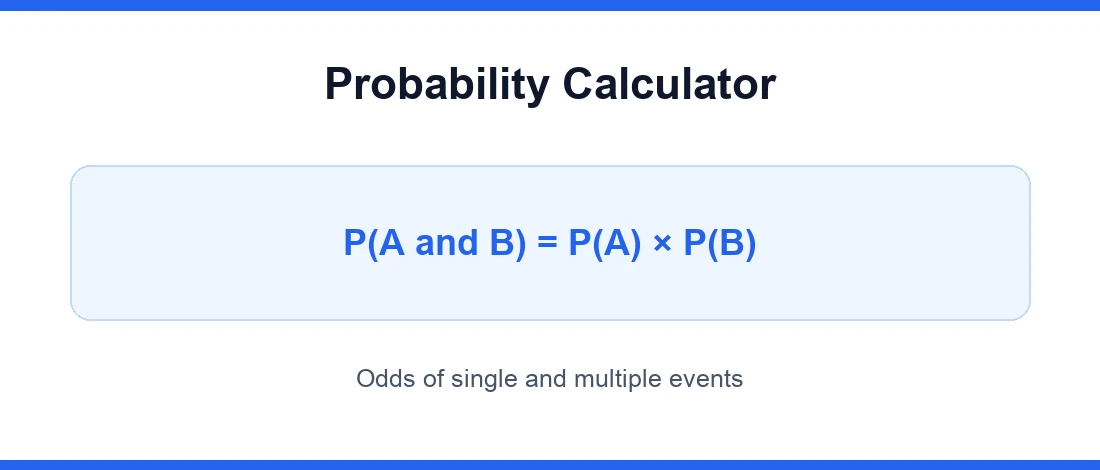
For independent events, the Probability Calculator multiplies probabilities when you want the chance of all events happening together. For conditional cases, it uses the relationship between the intersection of events and the probability of the given condition. For normal distribution tasks, it converts the input into a standardized position and estimates the area under the curve.
This structure makes the Probability Calculator easier to trust because the output follows recognized statistical rules rather than guesswork.
📐 Formulas and Calculation Logic Behind the Probability Calculator
The Probability Calculator is based on established probability and statistics principles used internationally in education, research, and applied analysis. Core concepts align with standard statistical terminology commonly referenced in frameworks such as ISO 3534 for statistical vocabulary and with broadly accepted probability methods used in academic and technical practice.
| Use case | Formula logic |
|---|---|
| Single event | P(A) = favorable outcomes / total outcomes |
| Both independent events | P(A ∩ B) = P(A) × P(B) |
| Either event | P(A ∪ B) = P(A) + P(B) − P(A ∩ B) |
| Conditional probability | P(A | B) = P(A ∩ B) / P(B) |
| Normal distribution | Z = (x − μ) / σ, then probability from cumulative area |
Using a Probability Calculator means you do not have to memorize each expression or worry about applying the wrong rule to the wrong situation.
📊 How to Interpret Results from a Probability Calculator
A Probability Calculator gives a number, but the real value comes from interpreting that number correctly. A result of 0.80 means the event is expected to happen often under the stated assumptions. A result of 0.05 means the event is rare, not impossible. A result near 0.50 suggests substantial uncertainty.
Always read the result together with the event definition. For example, a 12% probability of failure may sound small, but in a high-volume process it can still represent a major operational issue. On the other hand, a 90% probability of success may still be unacceptable in medical, aerospace, or high-reliability engineering contexts.
Warning: The Probability Calculator does not replace judgment. The output is only as valid as the assumptions, input values, and event relationship you provide.
🏠 Practical Examples and Real-Life Use Cases for a Probability Calculator
A Probability Calculator is useful in home, office, commercial, industrial, workshop, and academic settings. A student may use it to understand exam questions and verify homework. A quality engineer may use it to estimate the chance of out-of-spec products. A business analyst may compare the probability of demand scenarios before ordering stock. A maintenance team may review the probability of simultaneous equipment issues.
Example 1: In an office setting, if two approvals are required and each approval has a 90% completion chance on time, the Probability Calculator can show the combined on-time probability. Example 2: In a workshop or industrial process, if a part dimension follows a normal pattern, the tool can estimate how many units may fall outside tolerance. Example 3: In commercial forecasting, it can compare likely sales outcomes under different assumptions.
To explore more number-based tools, visit our math calculators category. For broader background on probability concepts, the Encyclopaedia Britannica probability overview is a useful external reference.
🚫 Common Mistakes Users Should Avoid with a Probability Calculator
- Treating dependent events as independent.
- Mixing decimals, percentages, and fractions incorrectly.
- Ignoring whether the result refers to “at least one,” “both,” or “neither.”
- Using a normal distribution model when the data does not reasonably fit that shape.
- Assuming a Probability Calculator can fix poor assumptions or incomplete input data.
💡 Why a Probability Calculator Is Better Than Manual Calculation
Manual probability work is fine for simple classroom examples, but it becomes slow and error-prone when you test multiple scenarios. A Probability Calculator improves efficiency by removing repeated arithmetic, reducing formula-entry mistakes, and making comparisons much faster. That can save time, reduce cost, and support better decisions when deadlines are tight.
The tool also encourages scenario testing. Try one input, then change a value and compare the outcome. This makes the Probability Calculator a decision-support tool, not just a one-time answer generator. It is especially helpful when you want to compare risk levels, tolerance limits, or outcome ranges before taking action.
Try this: Use the Calculator with best-case, expected-case, and worst-case inputs. Comparing all three often gives more insight than looking at one number alone.
📌 Final Notes and Disclaimer for Probability Calculator Results
The Calculator is intended to support estimation, learning, analysis, and faster decision-making. It is a practical aid for students and professionals, but results should always be reviewed in the context of the actual problem, available data, and real-world constraints.
Disclaimer: This Calculator provides estimates based on the formulas, assumptions, and values entered by the user. It does not replace professional statistical review, engineering judgment, financial advice, medical interpretation, or regulatory compliance assessment. Always verify critical decisions with appropriate expertise and source data.